Documentation Index
Fetch the complete documentation index at: https://mulerun.com/docs/llms.txt
Use this file to discover all available pages before exploring further.
Ready to build? Dive in and bring your idea to life on MuleRun with our powerful development tools.
Build Your Agent
With your Creator account ready, it’s time to bring your first agent to life. MuleRun now supports two main ways to build and connect your agents:
- Workflow tools (e.g. n8n): Fast and code-free — design business processes visually with low-code workflows and bring your ideas to life quickly.
- iframe web URLs: Flexible and secure—embed your self-hosted app or custom interface directly into MuleRun, with full ownership and control over your code and data.
- Custom API development: Full flexibility — build complex or deeply integrated agents with complete control through direct API calls.
Let’s walk through each.
Method 1: Build with n8n Workflows
Create New Agent — To begin, import your n8n JSON file, then configure its name and logo to quickly set up the foundation of your agent.
 Edit your Agent — Optimize the details page with a compelling introduction, clear feature descriptions, and highlights to boost visibility and adoption.
 Set up Credentials — Safely configure the API keys and service credentials required by your n8n workflow so your agent can access external data and services.
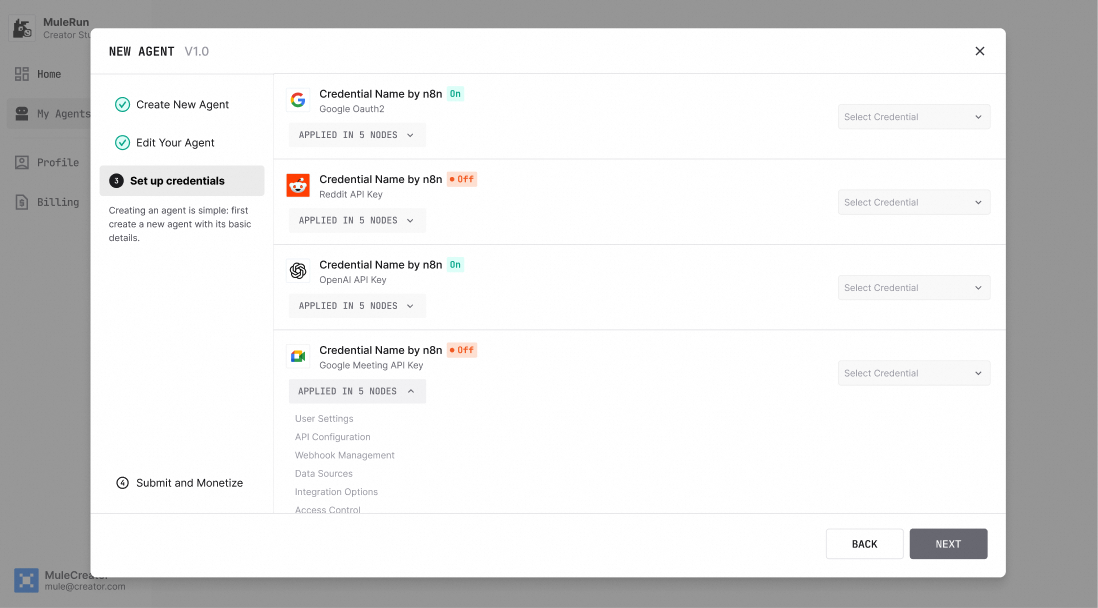 Submit & Monetize — Choose the pricing model that fits your agent. Then submit it for review, and once approved your agent will go live.

Method 2: Embed through iframe
Create New Agent — To begin, fill in your agent’s iframe session urls, then configure its name and logo to quickly set up the foundation of your agent.
 Edit your Agent — Optimize the details page with a compelling introduction, clear feature descriptions, and highlights to boost visibility and adoption.
Set up Credentials — Unlike configuring credentials for n8n workflow nodes, iframe-type agents do not require credential configuration at this stage.
Edit your Agent — Optimize the details page with a compelling introduction, clear feature descriptions, and highlights to boost visibility and adoption.
Set up Credentials — Unlike configuring credentials for n8n workflow nodes, iframe-type agents do not require credential configuration at this stage.
 Submit & Monetize — Iframe agents use Creator Metering by default, allowing you to define your own pricing through the Metering API.

Method 3: Integrate via API
Generate your API Keys — In the console, create a unique API key for your project. This serves as your credential for communication between your code and the MuleRun platform.
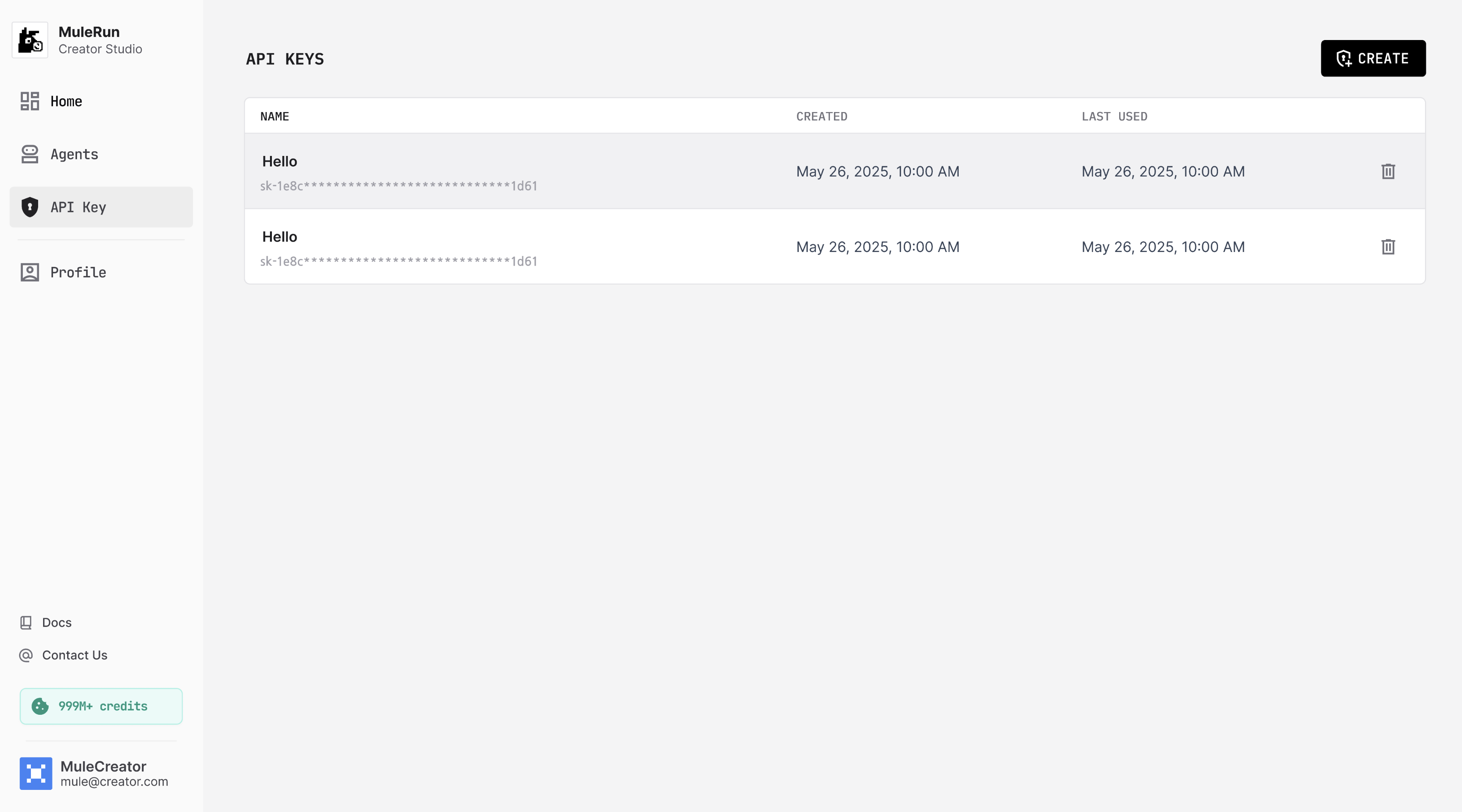 Build with Full Control — Using your API key and our API docs to create, configure, and manage your agent in code. Define every behavior, integrate external services, and implement complex custom logic — with complete control over the agent lifecycle. Come back to make edits or monitor API usage any time.
Test Your Agent (Yourself or With Your Friends)
Test Your Agent — Before sending your agent to MuleRun for review, don’t forget to put it through its paces! Test it yourself and share it with friends to get real-world feedback. This not only improves your agent but also boosts its odds of getting approved and thriving in the marketplace.
Testing, running, or publishing any agent requires sufficient credits in your wallet to cover associated runtime and API costs.
To share the link with friends for testing, they must be subscribed users to access the MuleRun Preview environment, which may be unstable as it has not been thoroughly tested.
 Run Your Agent — Ready to see it in action? Test drive the agent yourself or share it with friends!

Submit for Review
Once testing is complete, you may formally submit your agent for review. For guidance, please refer to the review criteria document: Agent Approval Standards. Good luck!
